Most of the talk about Odoo 20 has been about artificial intelligence, and we covered that in a dedicated article. But the official release notes contain much more, and a good part of it matters to the people who record invoices, run the warehouse or follow production.
This article collects the new features we think are most useful for a company. If you are looking for the impact on custom modules, servers and permissions, it is all in our technical overview of Odoo 20.
The screenshots in this article come from our own test installation of Odoo 20 Community, with demo data.
Odoo 20 for Italy: notes and attachments on electronic invoices
The official notes have one entry for Italy: notes (causale) and attachments (allegati) can be added directly to electronic invoices. The work on the localization goes further, and we described it in the technical overview.
Odoo 20 accounting: less manual entry, fewer mistakes
- Vendor bill lines suggested automatically. When you record a bill, by hand or by import, Odoo suggests product, account, tax and analytic distribution based on history and the label.
- Duplicates are easier to spot. The checks have two levels of warning: red for invoices that are very likely duplicates, yellow for possible ones.
- No more double payments. The payment wizard detects payments already pending and deducts them from the amount due.
- Payments directly from Odoo. Vendor bills can be paid one at a time or in batches, with a single signature, through the new PISP interface.
- Matching rules. You can set the payment tolerance and matching order for automatic reconciliation.
- Clearer withholding. On bills with withholding tax, the amount due is split into total, withholding and net.
- Simpler reminders. They can be sent by hand from the invoice list or the "Send" button, or automatically from the settings.
Two changes need explaining to people already using Odoo. Payment statuses have new names: "In Process" becomes "Paid" and "Paid" becomes "Reconciled", so reports and filters based on those statuses should be checked again. Account groups are replaced by parent accounts, and the account code becomes optional.
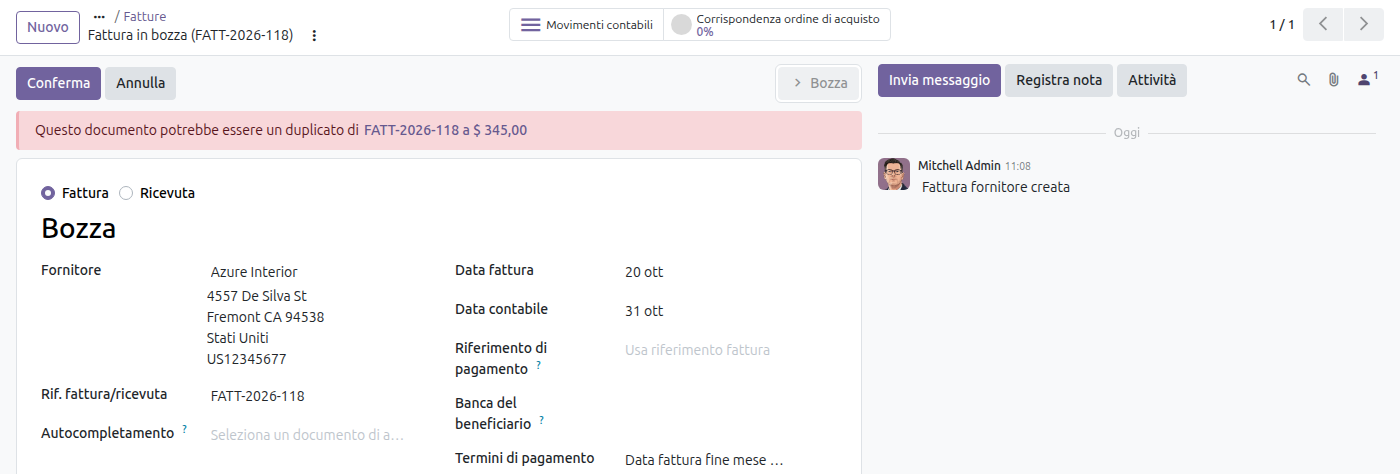
The warning on a vendor bill that may be a duplicate.
Odoo 20 inventory: stock and returns under control
- Stock aging report, available from the pivot view of the moves analysis.
- Suggested reordering levels. Minimum and maximum levels are proposed based on demand history, the desired days of coverage and order frequency.
- Inventory at a past date, available through a new date picker that keeps your filters.
- Simplified returns. The wizard is gone and the flow is shorter.
- CMR document for road transport, downloadable from deliveries and already prefilled.
- Landed costs on a single product of a transfer.
- Better traceability. The report shows upstream and downstream lots and serial numbers in a single view.
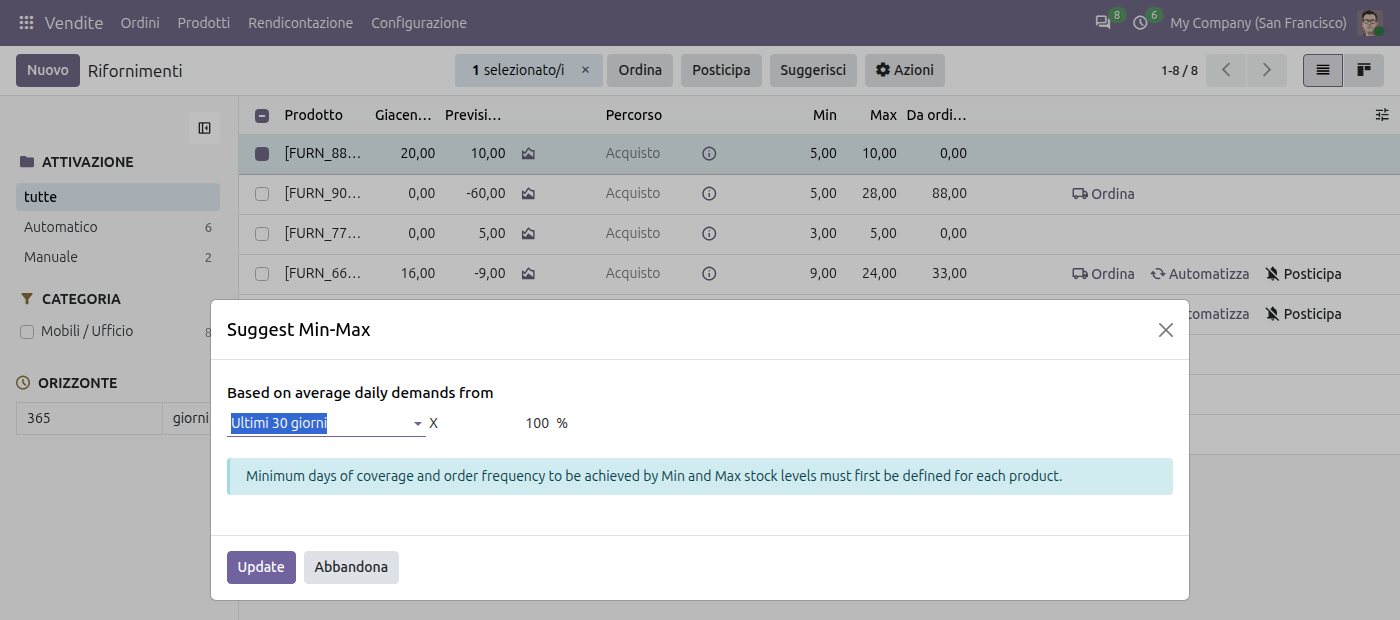
The suggested minimum and maximum levels, based on recent demand.
Odoo 20 manufacturing: more flexible orders
- A single "Produce" button instead of "Produce" and "Produce All".
- Orders can be split while in progress, to produce the rest later.
- Order cost always readable: provisional during production, real once the order is complete.
- Lots and serial numbers generated automatically when the order is closed.
- Back to draft for validated or canceled orders.
- Clearer subcontracting. Component status is visible here too, and missing components can be ordered from there.
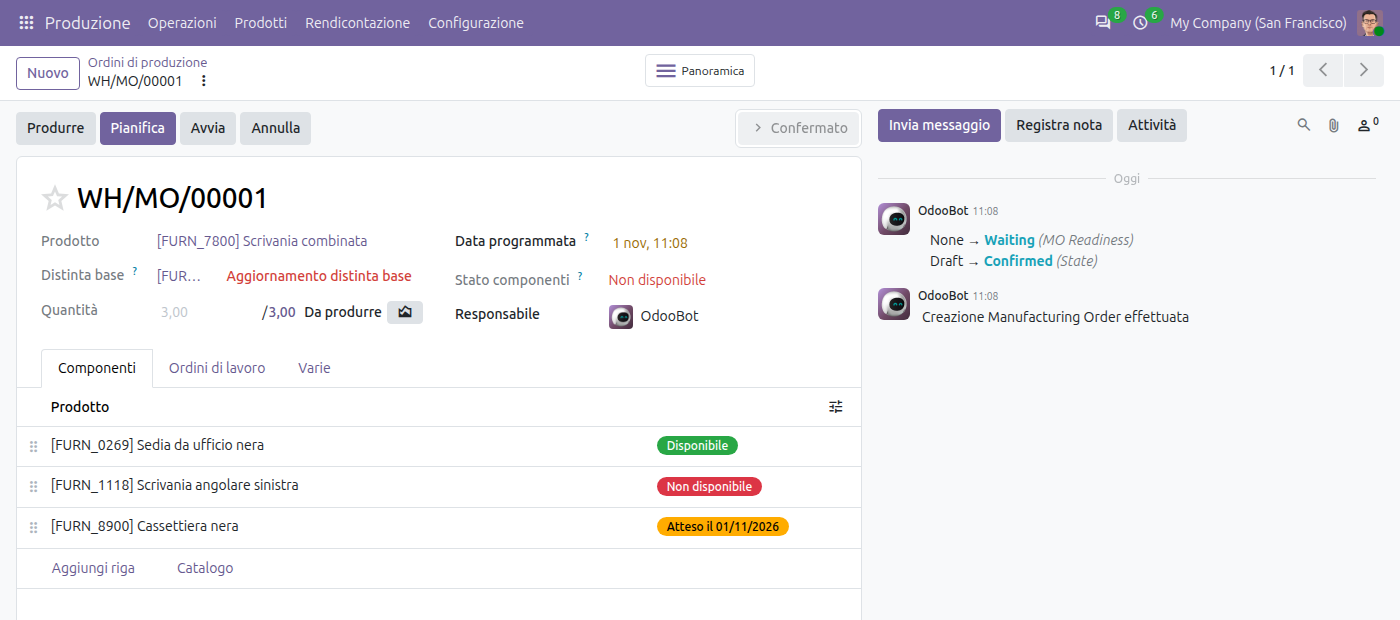
A manufacturing order with the single button.
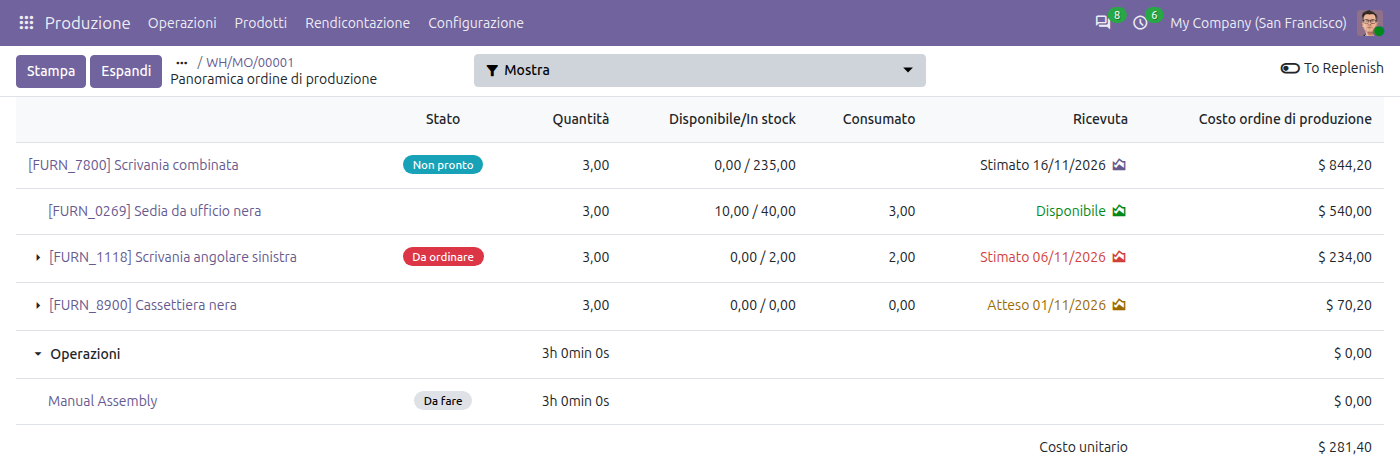
The order overview, with costs by component and operation.
Odoo 20 for sales and purchasing
- Commissions based on the amount paid, not only on the amount invoiced.
- Editable margin on the order line, with the sales price recalculated accordingly.
- Description-only order lines, with no linked product.
- Sales dashboard at the top of the quotation and order lists.
- Default Incoterm per vendor, applied automatically to quotations and orders.
- Editable expected arrival date, keeping the date given by the vendor to measure punctuality.
- Vendor quality rate, based on the quality checks performed on their products.
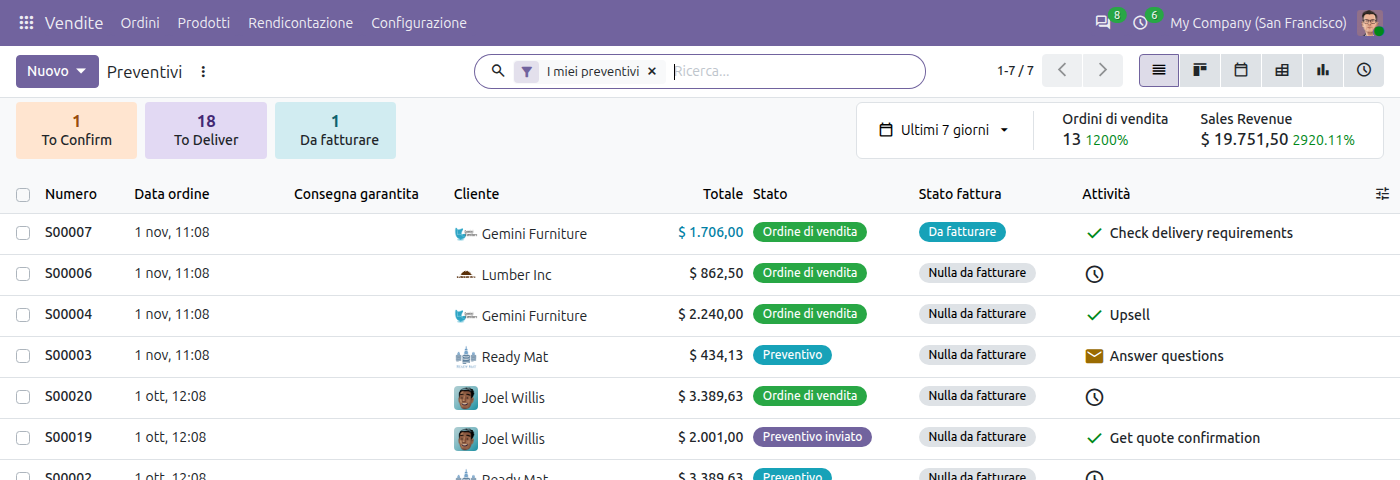
The dashboard at the top of the quotation list.
Odoo 20 in everyday use
- Offline mode: records can be created, edited, archived and deleted without a connection. We tested it in a dedicated article, with the limits you should know about.
- Prices with or without tax: you can switch between the two on sales orders, purchase orders and invoices.
- Activities assigned to a role, as well as to a single person.
- Pinned important messages in the chatter.
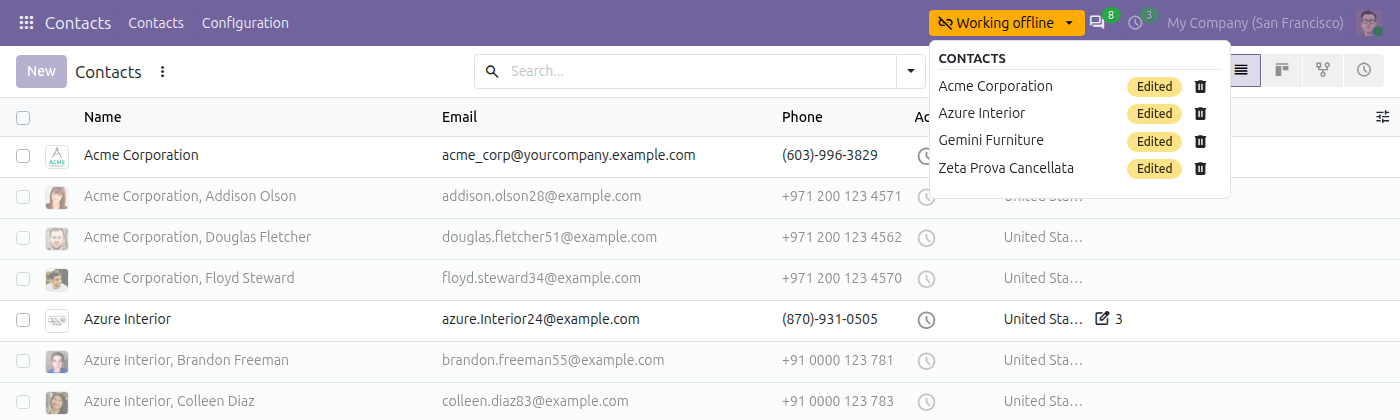
The queue of changes made without a connection, waiting to be sent.
How much these features really matter
None of these features justifies a migration on its own. They should be weighed against the problems you have today and the work needed to adapt what has been customized. The official notes do not always state which edition a feature is available in, so check it against your own plan before deciding. Odoo 20 also changes how users are counted: we explain it in Light Users in Odoo 20.
If you want to understand which new features your company really needs, let's talk.
Odoo 20 beyond AI: what's new in accounting, inventory, sales and manufacturing